Create Object
Create a new record
Create Object creates a new record. The steps after it act on the new record, so you can open it in a modal, set more fields, or go to its page.
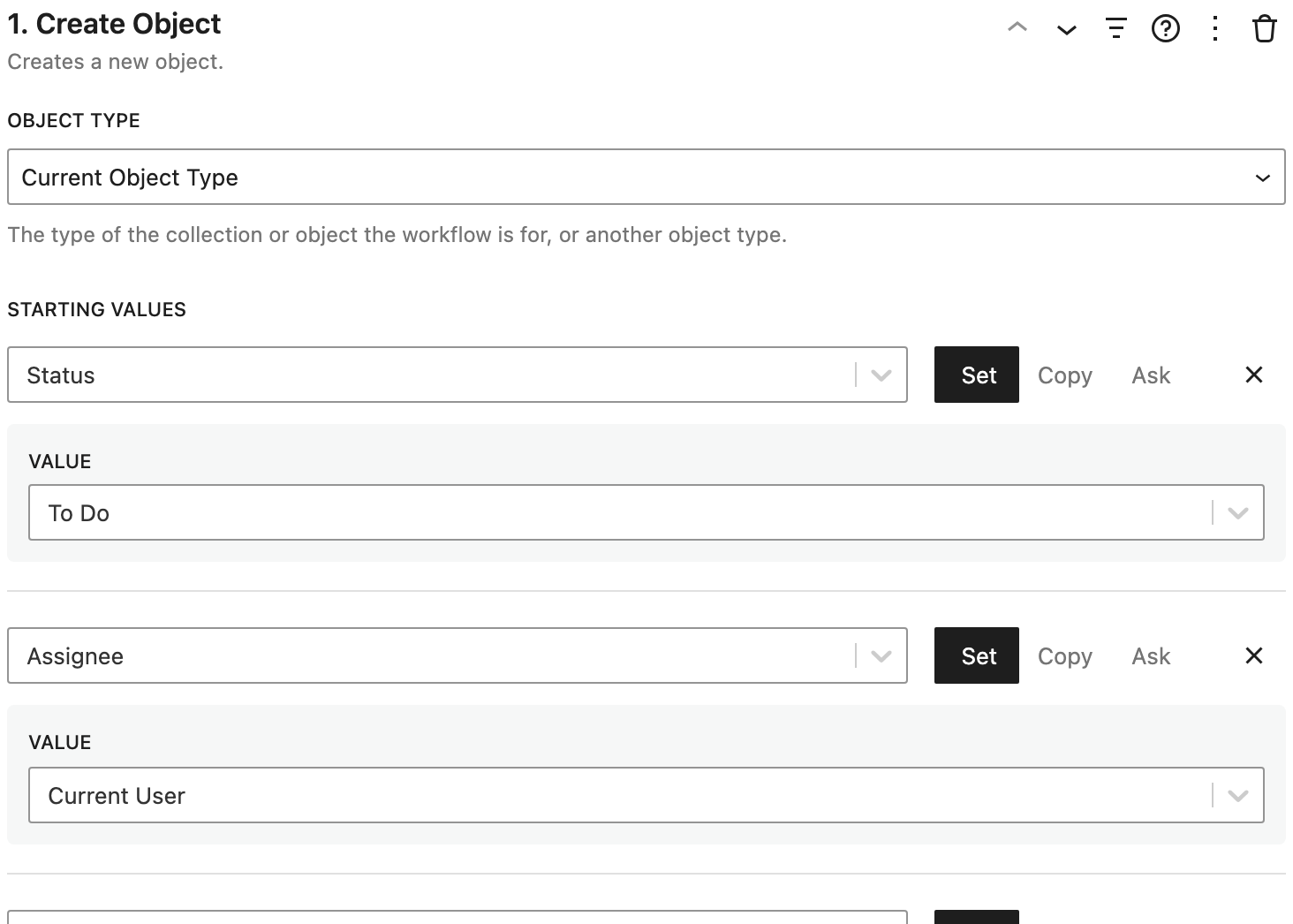
Settings
- Object Type: the type of record to create. Current Object Type creates the type of the list or record the workflow is for. Pick another type to create something else, like an activity from a client's page.
- Starting Values: fields the record starts with. Each one can be set to a value, copied from a related record, or asked for when the workflow is clicked. See Setting fields.
- Keep as Draft Until Saved: appears once there are starting values. The values are kept as unsaved changes, so required fields can be filled in first, like in a modal opened next. Follow the step with Open Modal, Start Editing, or Go to Page, so the record can be saved. Otherwise its values are lost.
How it works
- Inside another record's list, like the tasks on a project's page, the new record is linked to that record automatically.
- In a list, the new record appears in the list right away.
- Without Keep as Draft Until Saved, the record is saved with its starting values as it's created, so required fields must have values.
- If a later step is cancelled, like closing a modal without saving, the new record is deleted again, unless it was changed since.
- People who can't create records of the type don't see the workflow.
Examples
- Add Task: Create Object (Status: To Do, Assignee: Current User, Due Date: 1 week from now, kept as a draft), then Open Modal to fill in the rest.
- Log a Call: Create Object of type Activity, with Type set to Call, the date set to now, and the summary and details asked for.
Related
- Create Related Object creates a record linked to this one through a relationship.
- Duplicate creates a copy of a record.