Loops and Selecting Records
Run steps for many records at once
Loops run steps once for each of many records, like marking every selected task as done, or closing each of a project's open tasks. A loop starts with a For Each step and ends with End For Each. The steps between them run once for each record. The steps after End For Each run once.
In the steps editor, steps inside a loop are indented.
For Each Object
Runs the steps for the records in the list the workflow is in. Choose which ones under Objects:
- Shown in the List: the records on the page the list is showing.
- Selected in the List: the records people have selected (see Selecting records). The workflow's label shows how many, like "Mark Done (3)".
- All Matching the Filters: every record matching the list's filters, on every page, up to 1,000. Add a Confirm step before it to ask first.
For example, a Bulk Edit workflow above a task list: For Each Object (selected), Set Field (status: Done), Save, End For Each, Show Notice ("Marked {done} tasks done.").
For Each Related Object
Runs the steps for a record's related records, like a project's tasks, up to 1,000.
- Related Objects: which relationship.
- Only Where: filters that narrow them down, like only tasks whose status is To Do, In Progress, or Blocked. Without filters, every related record runs the steps.
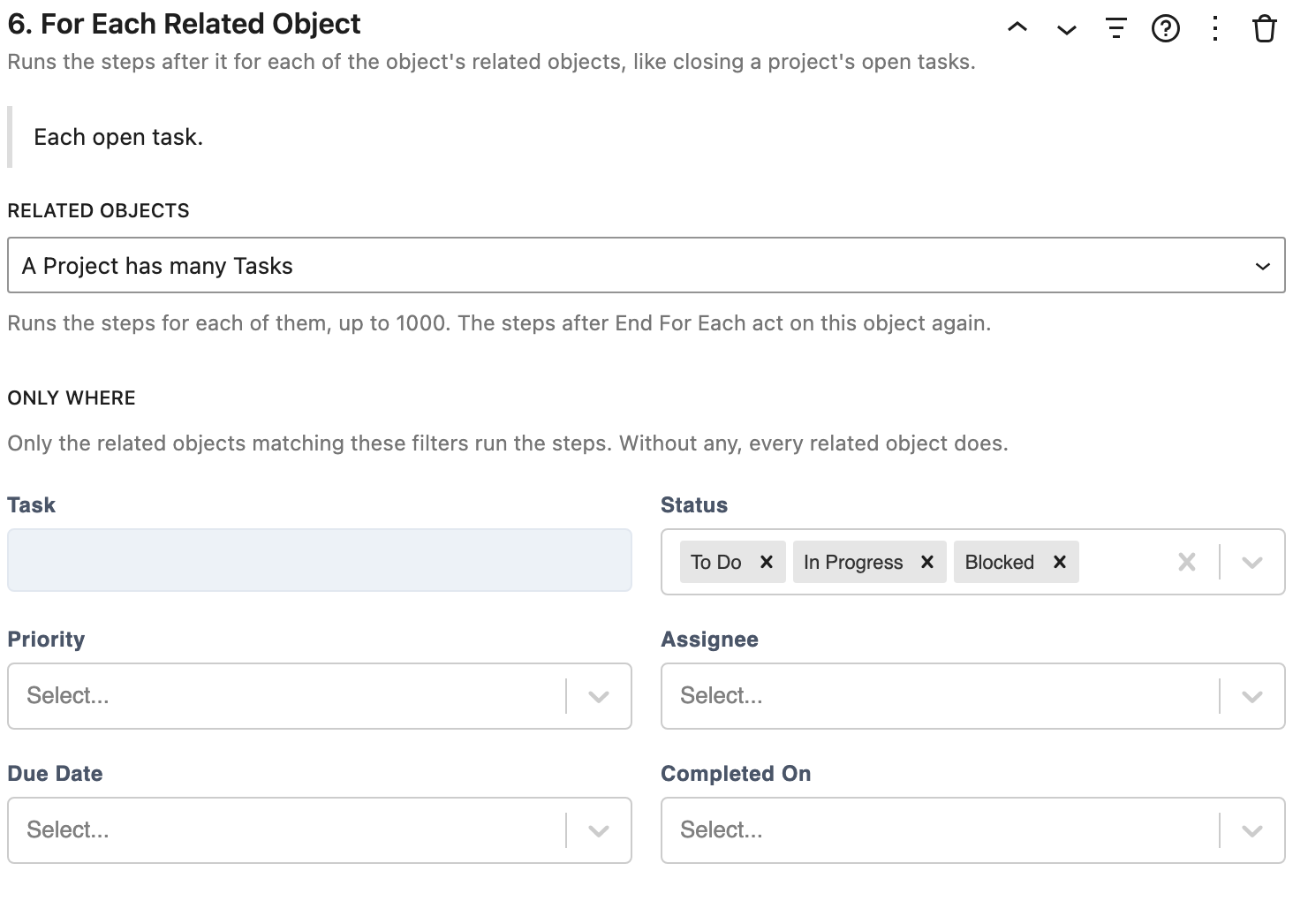
After End For Each, the steps act on the original record again. For example, Mark Complete on a project page: For Each Related Object (open tasks), Set Field (status: Done), Save, End For Each, Set Field (status: Completed), Save.
For Each File
Asks for files, or takes files dropped on the workflow, and runs the steps for each, like creating a record with each file. With For Each File first, the workflow can be shown as a drop zone (the Display setting).
End For Each
Ends the loop. The steps after it run once, with what the loop started with: the list, or the record whose related records the loop ran for. A Show Notice after it can say how the loop went with {done}, {skipped}, {failed}, and {total}.
How loops run
- Fast updates: when the steps in a loop only change fields and save, like Set Field then Save, every record is changed in one request. A loop with only a Delete step deletes every record in one request too.
- Other steps run one record at a time, like copying each task or opening a modal for each. The workflow shows progress, like "3 of 5…".
- Lists wait: lists on the page keep showing what they had until the loop finishes, then refresh once, so records don't flicker in and out.
- Problems don't stop the loop: if a record can't be changed, the others still are. A message says how many were done, skipped, or failed.
- Questions are asked once: fields the steps ask for are asked once, before the loop, and used for every record.
Selecting records
For workflows that act on the selected records, people need a way to select them. There are three blocks for this:
- List Table: turn on Allow Selecting Rows to add a checkbox to each row, and one in the header to select the whole page. Shift-click to select a range of rows.
- Select Checkbox: inside a list's item template, it selects that record, like a checkbox on a task card. Placed above the list, it selects every record shown.
- Selection Bar: says how many records are selected, with Select all N matching to select every record matching the filters, across all pages, and Clear selection. It's hidden until something is selected. Turn on Show Select All Checkbox to include a checkbox for the page.
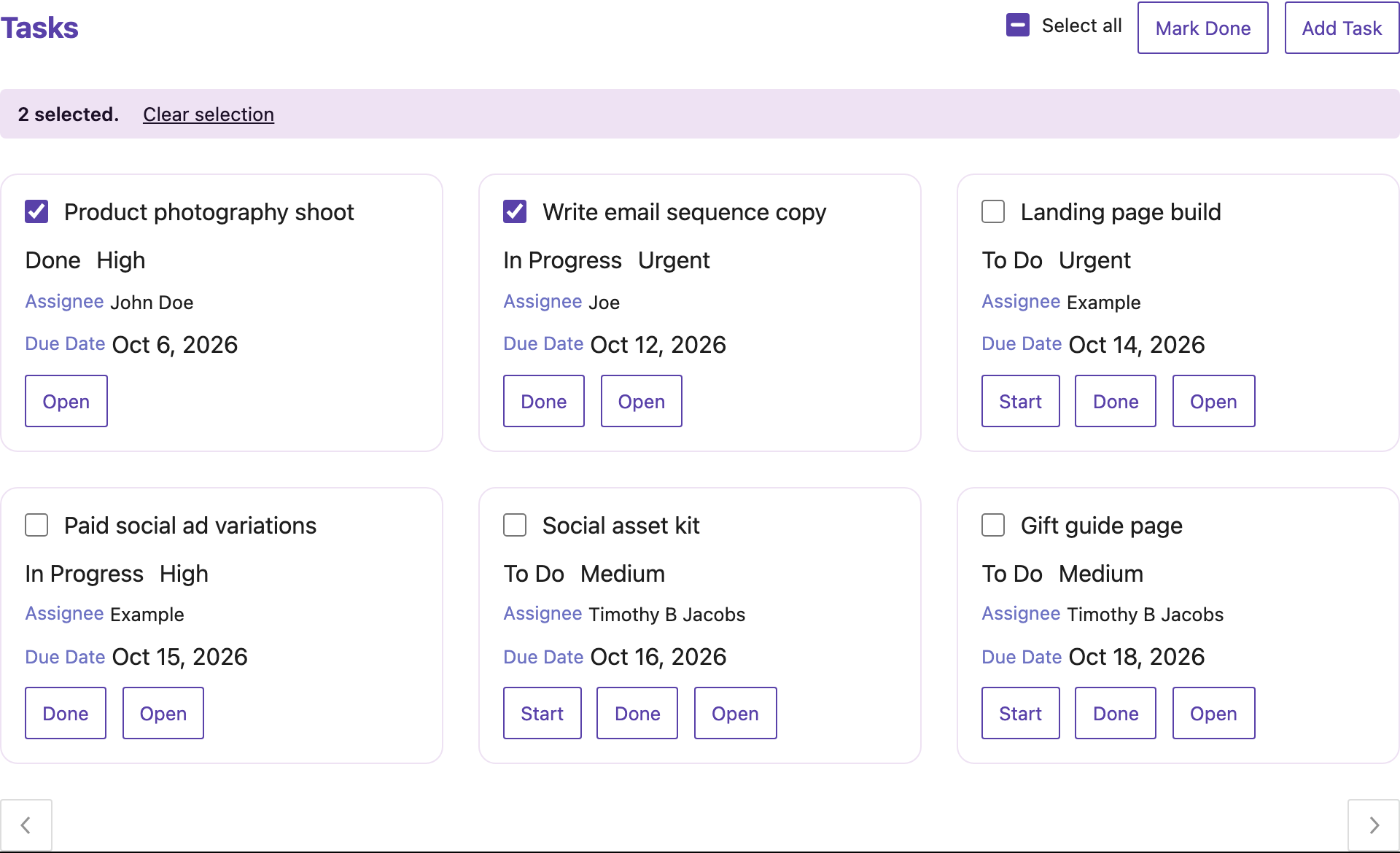
Selections are kept when people move between pages, and cleared when the list's filters change, since other records match.
Turn on Show Only When Rows Are Selected for a workflow to only show it while records are selected, like a toolbar for them. After a For Each Object loop over the selected records, the selection is cleared.