Audit Logs
Audit Logs give you a complete history of every change made to records in your application, who made it, when, from where, and exactly which fields were affected.
Your Audit Logs can be found at:
https://[team-slug].engineawesome.app/settings/audit-logs
Viewing Audit Logs
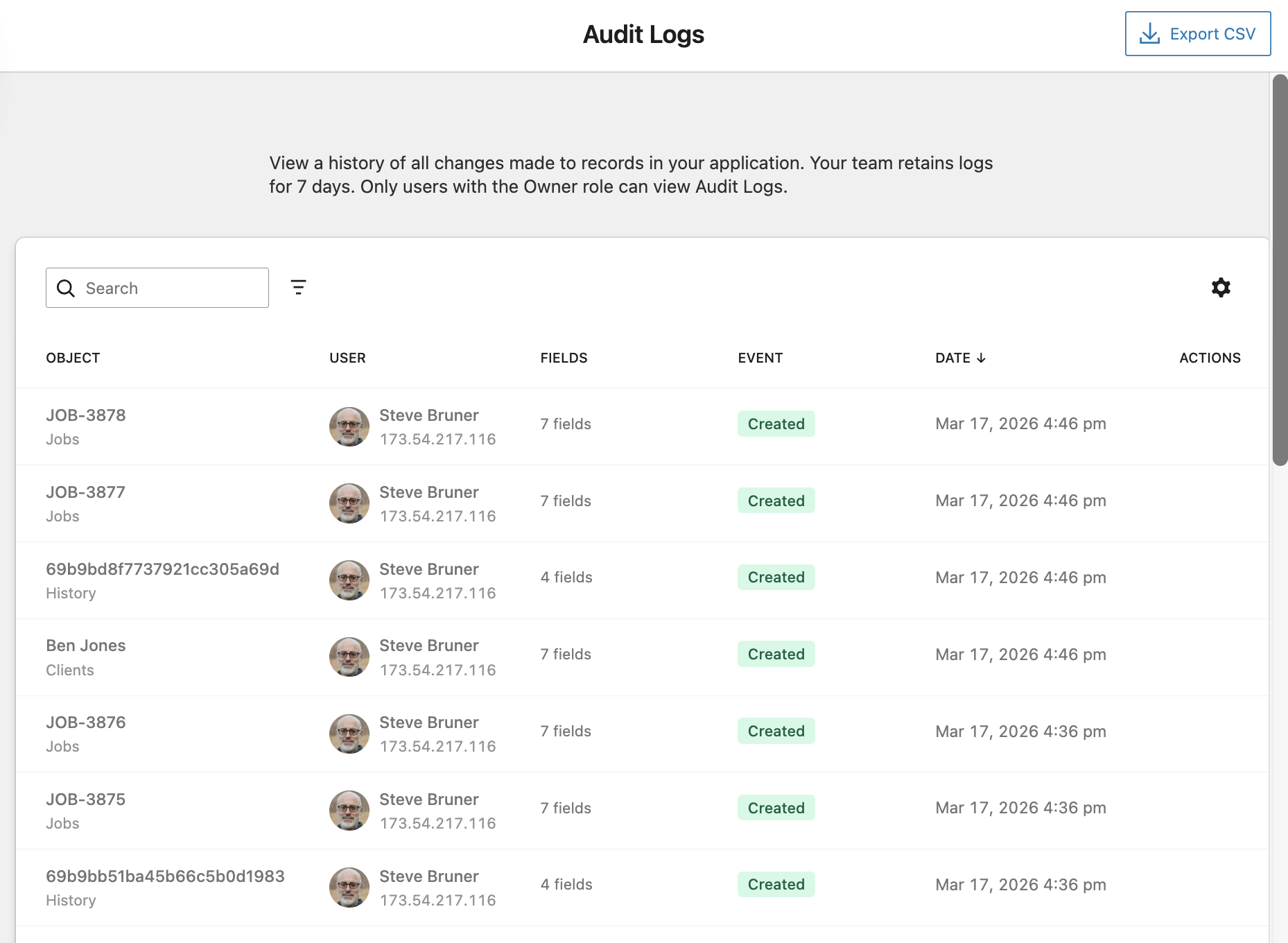
The Audit Logs screen shows a chronological list of all record changes in your application. Each row includes:
- Object: The record name and its object type (e.g. JOB-3878 under Jobs)
- User: The team member who made the change, along with their IP address
- Fields: The number of fields that were created or modified
- Event: The type of action: Created, Updated, or Deleted
- Date: The date and time the change occurred
- Actions: Click to view the full details for that log entry
You can search logs by keyword using the search bar, or use the filter icon to narrow results by object type, user, event type, or date range. Use the Export CSV button in the top-right to download a full export of your audit log history.
Audit Log Details
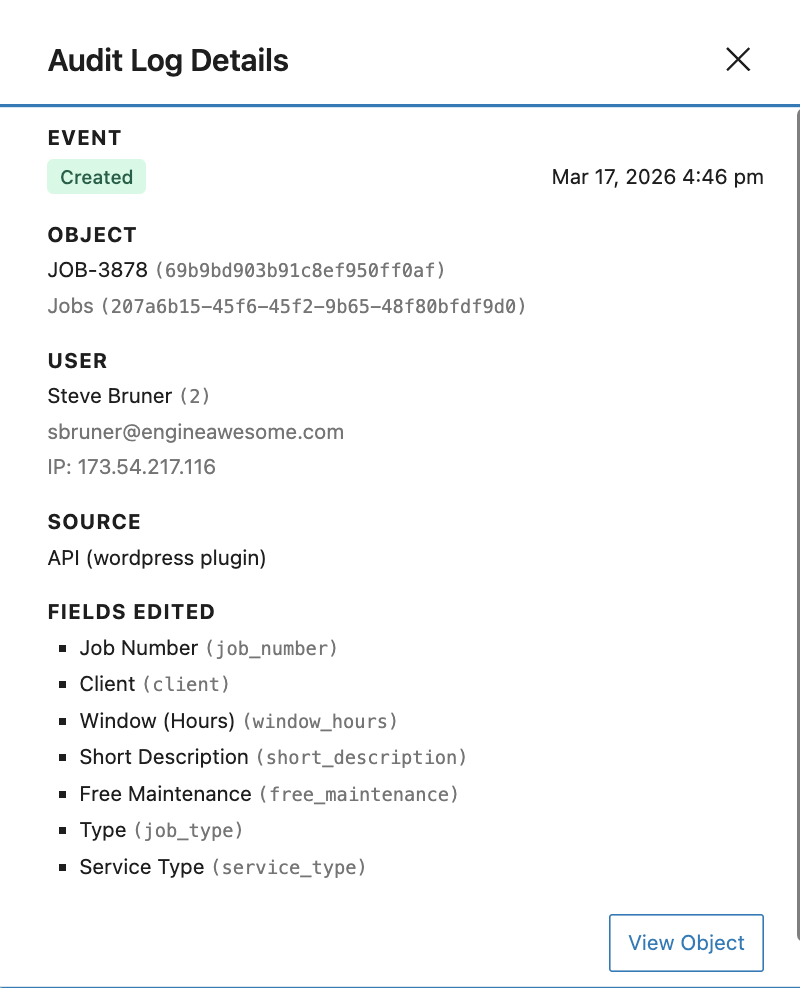
Clicking any row opens the Audit Log Details drawer, which shows:
Event
The event type (Created, Updated, or Deleted) and the exact timestamp of the change.
Object
The record's display name and internal ID, along with the object type name and its ID.
User
The full name, user ID, email address, and IP address of the person who made the change.
Source
Where the action originated, for example, directly in the app, via the API, or through a connected integration such as the WordPress plugin.
Fields Edited
A list of every field that was created or modified, showing both the display name and the field's API name (e.g. job_number, client).
The View Object button at the bottom of the drawer will navigate directly to the record that was changed.