For Each File
Run steps for each uploaded file
For Each File asks for files, or takes files dropped on the workflow, uploads them, and runs the steps after it once for each file, like creating a record with each.
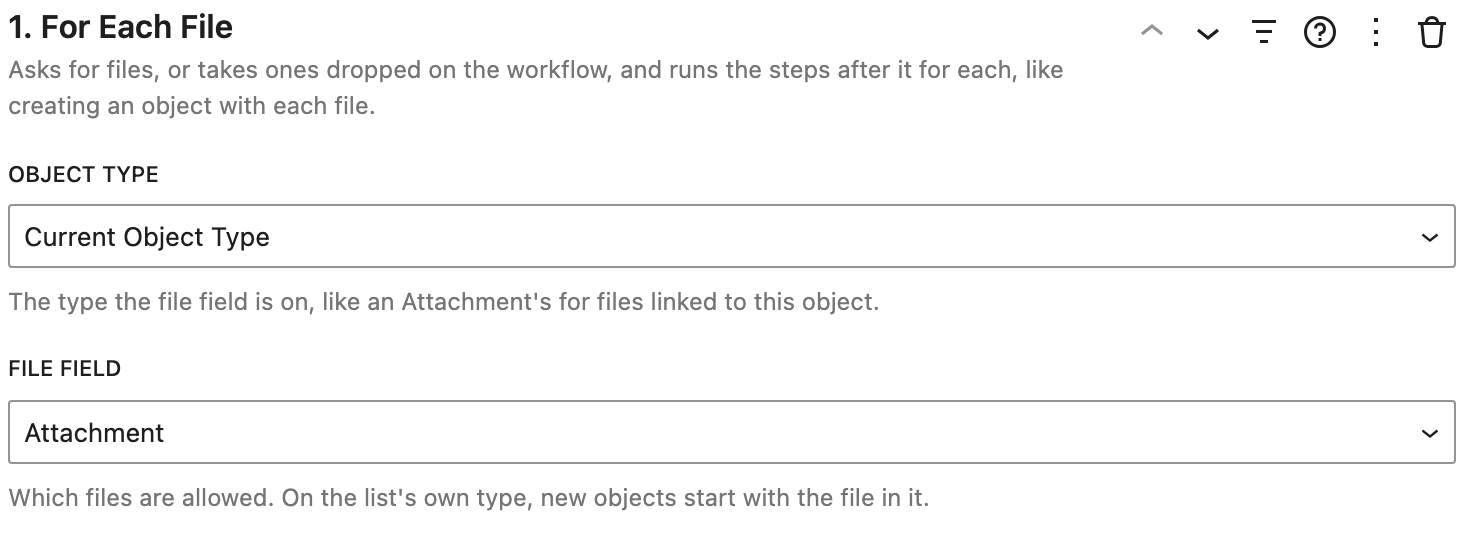
Settings
- Object Type: the type the file field is on. By default, the list's own type. Pick another type for files linked to this record, like Attachments.
- File Field: the File, Image, or Media field the files go in. It decides which file types are allowed.
How it works
- It must be the first step.
- With it first, the workflow's Display setting can show it as a drop zone instead of a button.
- On the list's own type, new records start with the file already in them.
- In the steps after it, text fields can be set to the file's File Title or File Name, and file fields to the Uploaded File.
- Files that aren't allowed are skipped, and the rest still upload.
Example
Upload Files: For Each File, then Create Object with Summary set to the File Title, Type set to File, and Attachment set to the Uploaded File, then End For Each and Show Notice ("Files attached: {done}.").